Start here
What this platform is for, and how to read this guide.
CLIP is the single source of truth for a customer's journey from first conversation to a live integration. It records what WellBeam decides and specifies — scope, decisions, interface logic, the identifier crosswalk — federates what other systems own, and reconciles the two so the gaps surface.
It is not a CRM, a wiki, an interface engine or a project-management tool. When something here looks like one of those, it is because the decision behind it had to live somewhere it could be compared against reality later.
How to read this guide
The first chapters explain the platform's shape: its words, its lifecycle, how customers are structured, and who supplies which answer. Read those once, in order — almost every confusion a new user has comes from one of them.
What this guide does not do
It describes only what is built. Where the platform does not yet do something, this guide says nothing rather than something aspirational. If you were told a capability exists and cannot find it here, assume it is not built yet and ask.
Terminology
The dozen words that unlock everything else.
Learn these twelve first. Most of what looks confusing later is one of these words being used in a sense you did not expect.
| Term | What it means |
|---|---|
| Organization | A company. A health system, a hospital, a home health agency, a partner or a vendor. Everything else in the platform hangs off one. |
| Tenant | The isolation boundary. Every query is scoped to a tenant, and nothing crosses between them. |
| Opportunity | The commercial conversation with an organization — its stage, its terms, its signature. |
| Interface side | One customer's integration work for one platform — a health-system side running Epic, or an agency side running HCHB. The unit almost everything is scoped by. |
| Anchor | Not a field you set. The organization IS the anchor — opportunities, sides, scoping and configuration all hang off it, so whichever party the organization represents is the one the relationship is built around. |
| Scoping question | A question whose answer changes what is sold or how big it is. Answered once per side, during onboarding. |
| Deliverable | A single thing WellBeam builds or provides — an interface, an extract, a connection, a configuration. |
| Product | What a customer thinks they are buying. Products bring deliverables with them. |
| Configuration setting | One value the platform holds against an institution. Answered after scoping, per environment. |
| Institution | What the WellBeam platform calls an organization in its own configuration. Configuration hangs off an institution ID. |
| Environment | A customer's TEST or PROD. Some settings differ between them and a single stored value would be silently wrong in one. |
| Reconciliation | Comparing what was decided here against what is actually running, and reporting the difference. |
How they fit together
flowchart TD
  T[Tenant<br/><i>isolation boundary</i>] --> O[Organization<br/><i>the customer</i>]
  O --> OPP[Opportunity<br/><i>the deal</i>]
  O --> S1[Interface side<br/><i>HS · Epic</i>]
  O --> S2[Interface side<br/><i>HHA · HCHB</i>]
  S1 --> Q1[Scoping answers]
  S1 --> D1[Deliverables]
  S1 --> C1[Configuration<br/>TEST · PROD]
  S2 --> Q2[Scoping answers]
  S2 --> D2[Deliverables]
  S2 --> C2[Configuration<br/>TEST · PROD]
  style O fill:#d8ebe9,stroke:#0e7a78,color:#16202a
  style S1 fill:#e6ecfb,stroke:#2f5fd0,color:#16202a
  style S2 fill:#e6ecfb,stroke:#2f5fd0,color:#16202a
  classDef default fill:#ffffff,stroke:#c6cdd4,color:#16202a;
The thing to take from that picture: the organization is the root, but the side is where the work lives. Two sides of the same customer have separate answers, separate deliverables and separate configuration, and they go live on separate timelines.
The platform holds 73 record types in total. You will meet perhaps fifteen of them.
The customer lifecycle
The stages a customer moves through, and what each unlocks.
A customer moves through four working stages. Each one produces what the next one needs, which is why the order cannot be shortcut.
flowchart LR
  P["<b>Prospecting</b><br/>who they are<br/>what they buy"] --> O["<b>Onboarding</b><br/>scoping answers<br/>per side"]
  O --> C["<b>Configuration</b><br/>settings per<br/>institution + env"]
  C --> I["<b>Implementation</b><br/>plan, tasks,<br/>interfaces"]
  I --> R["<b>Reconciliation</b><br/>intent vs<br/>reality"]
  style P fill:#f7ecdf,stroke:#b0620e,color:#16202a
  style O fill:#d8ebe9,stroke:#0e7a78,color:#16202a
  style C fill:#e6ecfb,stroke:#2f5fd0,color:#16202a
  style I fill:#e3f3ea,stroke:#1f8a54,color:#16202a
  style R fill:#eef1f3,stroke:#55626f,color:#16202a
  classDef default fill:#ffffff,stroke:#c6cdd4,color:#16202a;
What each stage produces
| Stage | You answer | It produces |
|---|---|---|
| Prospecting | Who the customer is, which sides, what they are buying | A scope, and the deliverables that follow from it |
| Onboarding | The scoping questions for each side | Answers that decide which configuration applies |
| Configuration | The platform settings, per institution and environment | The values the platform is actually built with |
| Implementation | The plan generated from signed scope | Tasks, interfaces, and a go-live gate |
Lifecycle labels you will see
An organization carries one of these:
PROSPECTCONTRACTED_CUSTOMERLIVE_CUSTOMERFORMER_CUSTOMERPARTNERVENDOR
An opportunity moves through its own stages:
DISCOVERY → QUALIFICATION → PROPOSAL → NEGOTIATION → CONTRACTED → CLOSED_WON → CLOSED_LOST
Customer topology
Anchors, sides, and why the same customer can look like three different shapes.
A WellBeam integration is always two-sided: a health system on one side, a home health agency on the other, exchanging orders and documents. But the *relationship* is anchored on one of them, and the other sides join later.
There is no topology picker and no relationship-model setting. The shape is simply which sides you add to an organization — it emerges from the work rather than being chosen up front, and it can grow at any time.
The shapes this produces
One agency, many health systems. The agency is the organization; each health system it serves joins as its own HS side. This is the shape the demonstration customer takes — ASHN anchors, Kettering is the first health system, and others can be added without disturbing it.
flowchart TD
  A1[ASHN<br/><b>organization · HHA anchor</b>] --> A2["ASHN (HHA) · HCHB<br/><i>active</i>"]
  A1 --> A3["Kettering (HS) · Epic<br/><i>planned</i>"]
  A1 -.-> A4["further HS sides<br/><i>as they sign</i>"]
  style A1 fill:#d8ebe9,stroke:#0e7a78,color:#16202a
  style A2 fill:#f7ecdf,stroke:#b0620e,color:#16202a
  style A3 fill:#e6ecfb,stroke:#2f5fd0,color:#16202a
  classDef default fill:#ffffff,stroke:#c6cdd4,color:#16202a;
One health system, many agencies. The health system anchors, and each agency it discharges to joins as a side.
flowchart TD
  B1[A health system<br/><b>organization · HS anchor</b>] --> B2[Its own HS side · Epic]
  B1 --> B3[First agency · HHA]
  B1 --> B4[Second agency · HHA]
  style B1 fill:#e6ecfb,stroke:#2f5fd0,color:#16202a
  classDef default fill:#ffffff,stroke:#c6cdd4,color:#16202a;
One to one. The simplest shape, and the one most first implementations take.
flowchart TD
  C1[Either party<br/><b>organization</b>] --> C2[One HS side]
  C1 --> C3[One HHA side]
  style C1 fill:#e6ecfb,stroke:#2f5fd0,color:#16202a
  classDef default fill:#ffffff,stroke:#c6cdd4,color:#16202a;
Why it matters which party the organization is. The organization is who WellBeam contracted with, and it is what the opportunity, the signature and the whole record hang off. The other sides are real integration work with their own scope, plan and go-live date — but they are not the customer, and adding one does not create a second customer.
A practical consequence: name the organization after the party it represents. An organization named for two parties reads as a joint venture between equals and hides which one the relationship is actually with.
A side is per-platform, not per-organization
This is the distinction that catches people. A side is a customer and an EMR:
flowchart LR
  O[The organization] --> S1["HS side<br/><b>Epic</b>"]
  O --> S2["HHA side<br/><b>HCHB</b>"]
  S1 --> W1[Its own scoping worksheet]
  S1 --> P1[Its own plan]
  S1 --> E1[Its own TEST + PROD config]
  S2 --> W2[Its own scoping worksheet]
  S2 --> P2[Its own plan]
  S2 --> E2[Its own TEST + PROD config]
  classDef default fill:#ffffff,stroke:#c6cdd4,color:#16202a;
If a health system runs two EMRs, that is two sides. Everything below the side — worksheet, deliverables, plan, configuration, go-live date — duplicates with it.
Organization hierarchy
How the WellBeam platform is shaped, and why configuration must follow it.
The WellBeam platform models everything as an institution with a type, and configuration hangs off an institution ID. CLIP mirrors that shape, which is why some settings cannot be answered until the structure above them exists.
flowchart TD
  ORG["<b>Organization</b><br/>the customer"] --> HOSP["<b>Hospital / Institution</b><br/>health-system side"]
  ORG --> AG["<b>Agency</b><br/>home-health side"]
  HOSP --> CL["<b>Clinic</b>"]
  HOSP --> TEAM["<b>Physician team</b>"]
  AG --> BR["<b>Branch</b>"]
  TEAM --> PROV["Providers<br/><i>no login — SMART launch</i>"]
  BR --> USR["Users<br/><i>login, via SCIM or manual</i>"]
  style ORG fill:#d8ebe9,stroke:#0e7a78,color:#16202a
  style HOSP fill:#e6ecfb,stroke:#2f5fd0,color:#16202a
  style AG fill:#f7ecdf,stroke:#b0620e,color:#16202a
  classDef default fill:#ffffff,stroke:#c6cdd4,color:#16202a;
The forced order
You cannot configure a physician team before the hospital exists, or set a branch's settings before the agency does. That is not a UI restriction — it is the platform's own shape. Configuration is stored against the level it belongs to:
| Level | Settings held here |
|---|---|
INSTITUTION | 161 |
CLINIC | 1 |
TEAM | 6 |
Providers and users are not the same thing
The single most common misunderstanding on the health-system side:
| Providers | Users | |
|---|---|---|
| Who | Physicians who sign orders | Agency staff who work in WellBeam |
| Login | None. They reach WellBeam through a SMART launch from inside Epic | Yes — password, SSO, or both |
| Created from | The Epic provider extract | SCIM from the customer's directory, or created by an admin |
| Belongs to | A physician team | A branch |
Do not plan logins for providers. They do not have them, and an onboarding sheet that asks for them produces an answer nobody can use.
Who supplies which answer
The difference between what to chase a customer for and what WellBeam already knows.
Every question and every setting names who supplies its value, accountable party first. This is the field that decides whether a configuration session is an hour of useful work or an hour of asking a customer things WellBeam already knows.
Interface settings, by who supplies them
| Who | Count | What it means for you |
|---|---|---|
| WellBeam | 42 | Arrives pre-filled. Do not ask. |
| Customer IT / vendor | 29 | Chase this. Their network, their Epic build, their directory. |
| Customer ops | 12 | An operational choice — send times, folder names, thresholds. |
flowchart LR
  SC["Scoping answer"] --> V["The value the<br/>platform is built with"]
  EX["Provider extract"] --> V
  DF["WellBeam default"] --> V
  IT["Customer IT<br/>supplies it"] --> V
  OPS["Customer ops<br/>decides it"] --> V
  style V fill:#d8ebe9,stroke:#0e7a78,color:#16202a
  classDef default fill:#ffffff,stroke:#c6cdd4,color:#16202a;
Of the 42 WellBeam sets: 18 follow from the scoping answer, 4 are written by the provider extract, and the rest are our own infrastructure or a default that stands.
Scoping questions, by who answers them
| Who | Questions |
|---|---|
| Customer ops | 7 |
| Customer IT | 8 |
The catalogs
The reusable content every customer inherits, and what changing it costs.
Catalogs hold what every customer inherits. A customer's own answers live against them; the catalog itself is shared. Changing an entry changes it for every customer from now on, which is why nothing in a catalog is ever deleted.
flowchart TD
  PR["<b>Products</b> (6)<br/><i>what a customer buys</i>"] --> DL["<b>Deliverables</b> (19)<br/><i>what we build</i>"]
  DL --> SQ["<b>Scoping questions</b> (15)<br/><i>what we must ask</i>"]
  SQ --> CS["<b>Config settings</b> (168)<br/><i>what we set</i>"]
  style PR fill:#f7ecdf,stroke:#b0620e,color:#16202a
  style DL fill:#d8ebe9,stroke:#0e7a78,color:#16202a
  style SQ fill:#e6ecfb,stroke:#2f5fd0,color:#16202a
  style CS fill:#e3f3ea,stroke:#1f8a54,color:#16202a
  classDef default fill:#ffffff,stroke:#c6cdd4,color:#16202a;
That chain is the spine of the product. A product brings deliverables; a deliverable decides which scoping questions get asked; the answers decide which configuration applies.
Scoping questions — 15
Only questions whose answer changes what is sold or how big it is.
| Domain | Questions |
|---|---|
| IT OPS | 8 |
| INTEGRATIONS | 3 |
| CLINICAL OPS | 4 |
Deliverables — 19
| Kind | Count |
|---|---|
| interface | 8 |
| extract | 3 |
| provisioning | 2 |
| configuration | 4 |
| connectivity | 2 |
Some deliverables gate questions: a question is only asked of customers who bought the thing it relates to. 8 of the 15 questions are gated this way; the rest are asked of everyone.
Configuration settings — 168
| Surface | Count | What it is |
|---|---|---|
| Interfaces | 83 | Defines or carries the integration |
| Product | 60 | How the application behaves for users |
| Platform | 25 | WellBeam's own operation |
Working an existing customer
The customer is contracted and in the platform. Start here if you have been handed one — every walkthrough in this track is safe to follow on a live customer.
Explore a contracted customer
Walk an existing customer end to end — its sides, what was sold, the scoping answers and the plan — without changing anything.
Walk an existing customer end to end — its sides, what was sold, the scoping answers and the plan — without changing anything.
Before you begin
- A contracted customer already exists. Nothing in this walkthrough changes it.
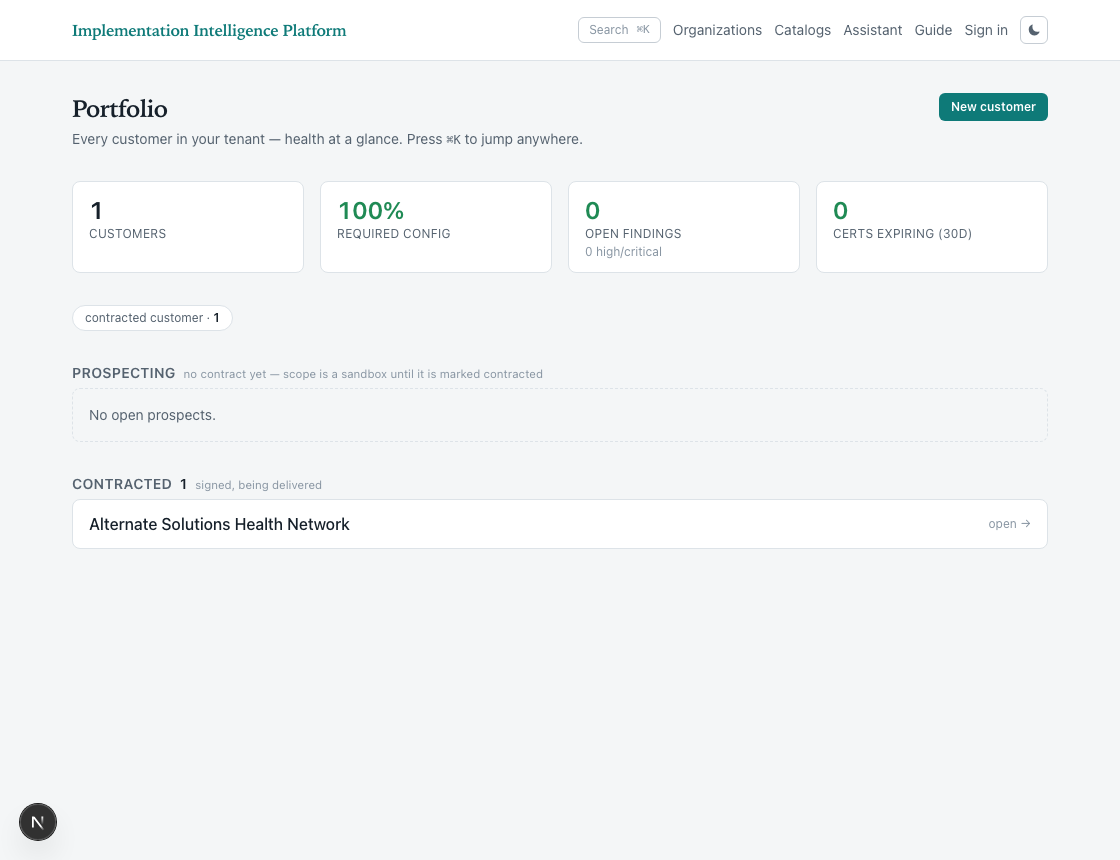
1. Open the portfolio
The portfolio lists every customer in your tenant, grouped by where they are in the lifecycle. Prospects have no contract yet; contracted customers are being delivered.
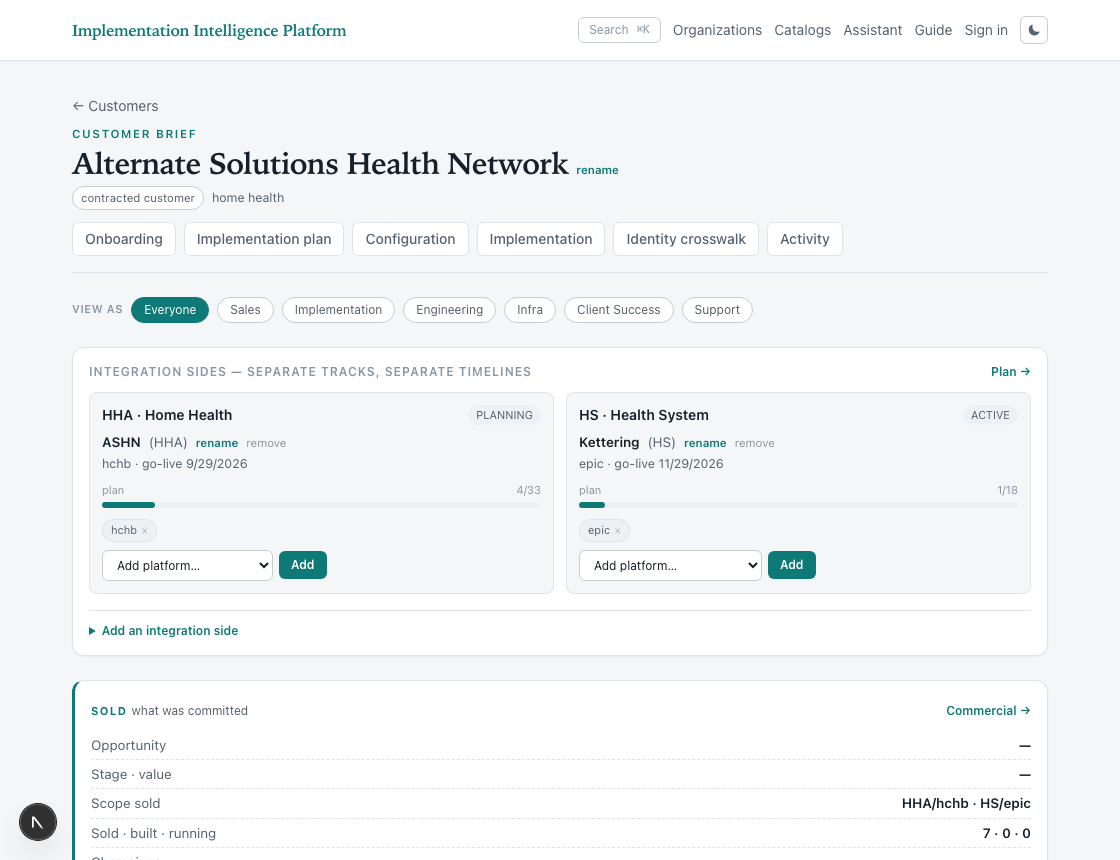
2. Open a customer
The customer brief is the single page that answers “where is this customer”. Everything else hangs off it.
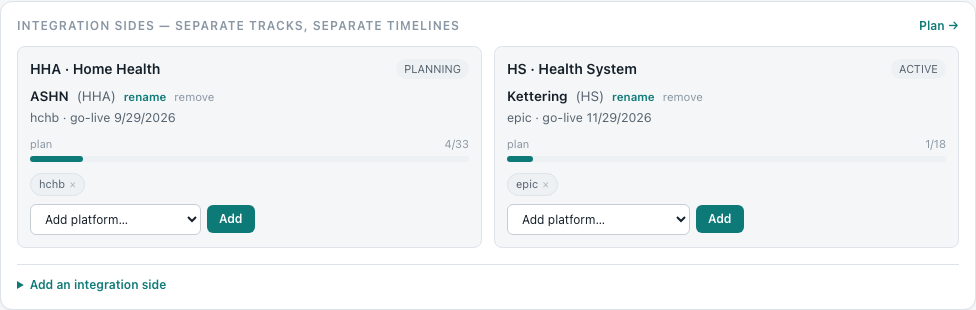
3. Read the integration sides
A side is one customer’s integration work for one platform. Each carries its own status, its own go-live date and its own plan — two sides of the same customer go live on separate timelines.
4. Open onboarding
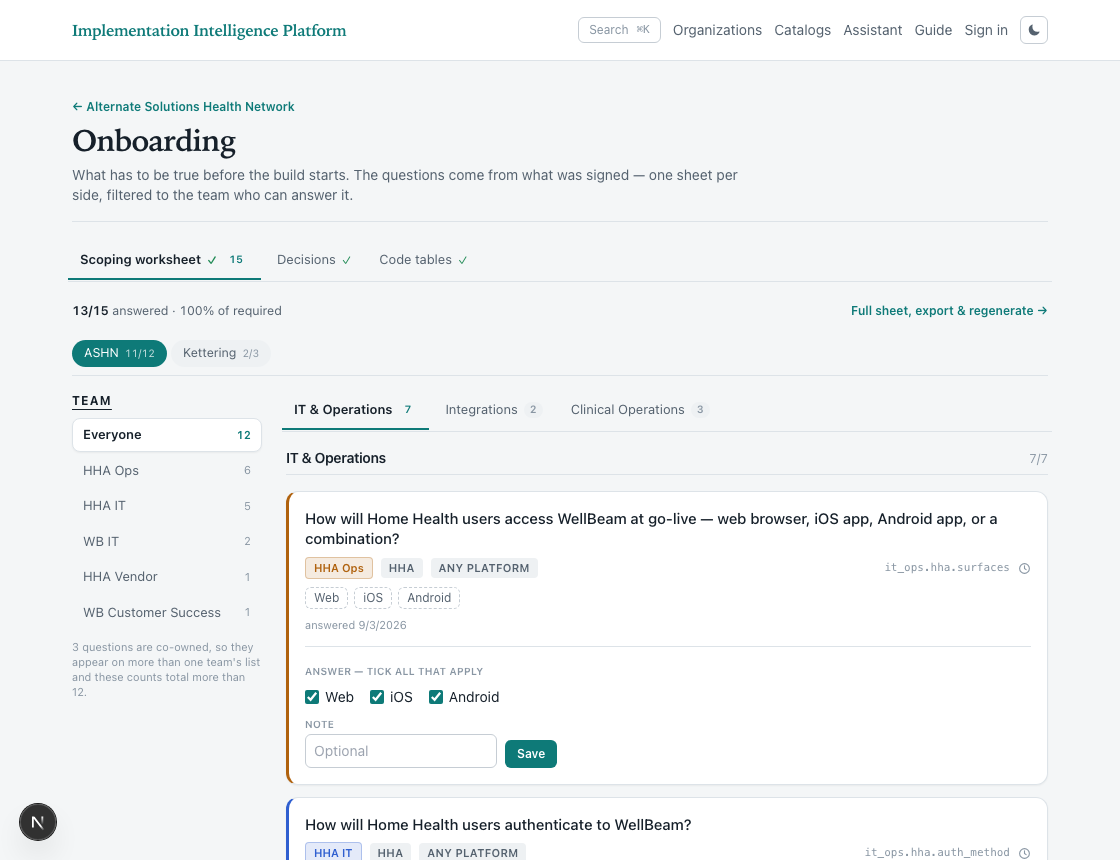
Onboarding holds the scoping worksheet: what has to be true before the build starts. There is one sheet per side, and the questions come from what was signed.
5. Read the worksheet
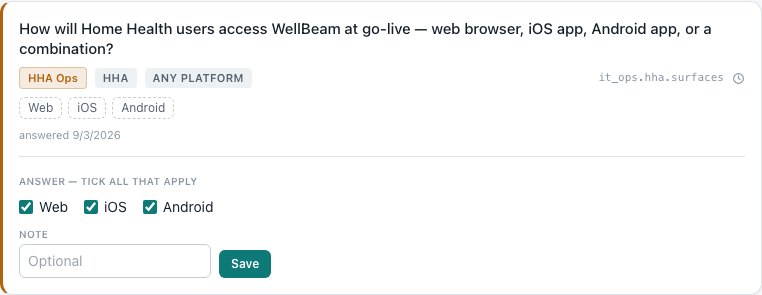
Questions are filtered to the team that can answer them, so a session with the agency’s IT team shows only what IT can decide. The counts show how much of each side is answered.
Generate the scoping worksheet
Understand where a customer’s scoping questions come from, and what happens when the catalog changes underneath them.
Understand where a customer’s scoping questions come from, and what happens when the catalog changes underneath them.
Before you begin
- The customer is contracted and has at least one side with a platform attached.
- Nothing here generates or regenerates — it explains the control.
1. Open onboarding
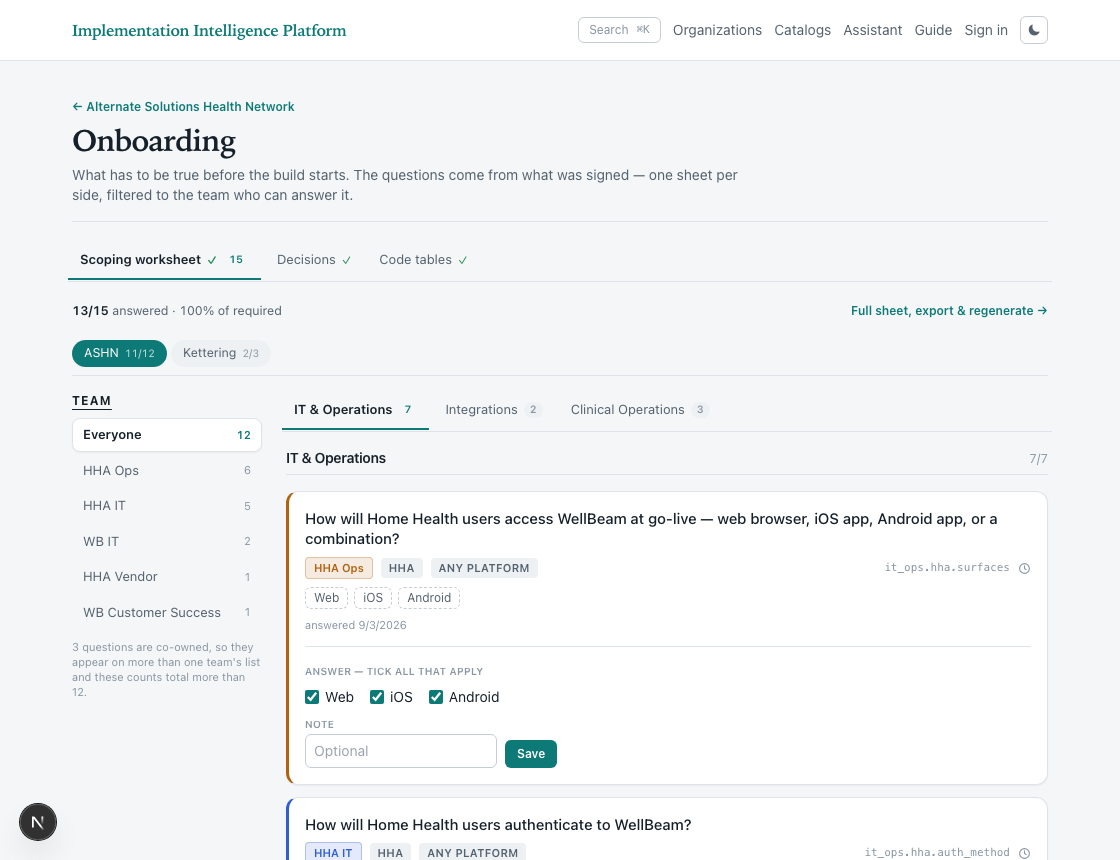
Worksheets are generated per side, from the catalog and from what was sold. You do not write the questions — a side with no platform attached cannot have a sheet at all, because there is nothing to filter the catalog by.
2. Full sheet, export and regenerate
The catalog changes — questions are added, retired or reworded. Regenerating rebuilds the sheet from the current catalog and carries existing answers across by question key.
Answer a scoping question
Record a customer's answer on the scoping worksheet, and see where that answer goes next.
Record a customer's answer on the scoping worksheet, and see where that answer goes next.
Before you begin
- The customer is contracted and has a scoping worksheet.
- You are looking at the side whose question you are answering — each side has its own sheet.
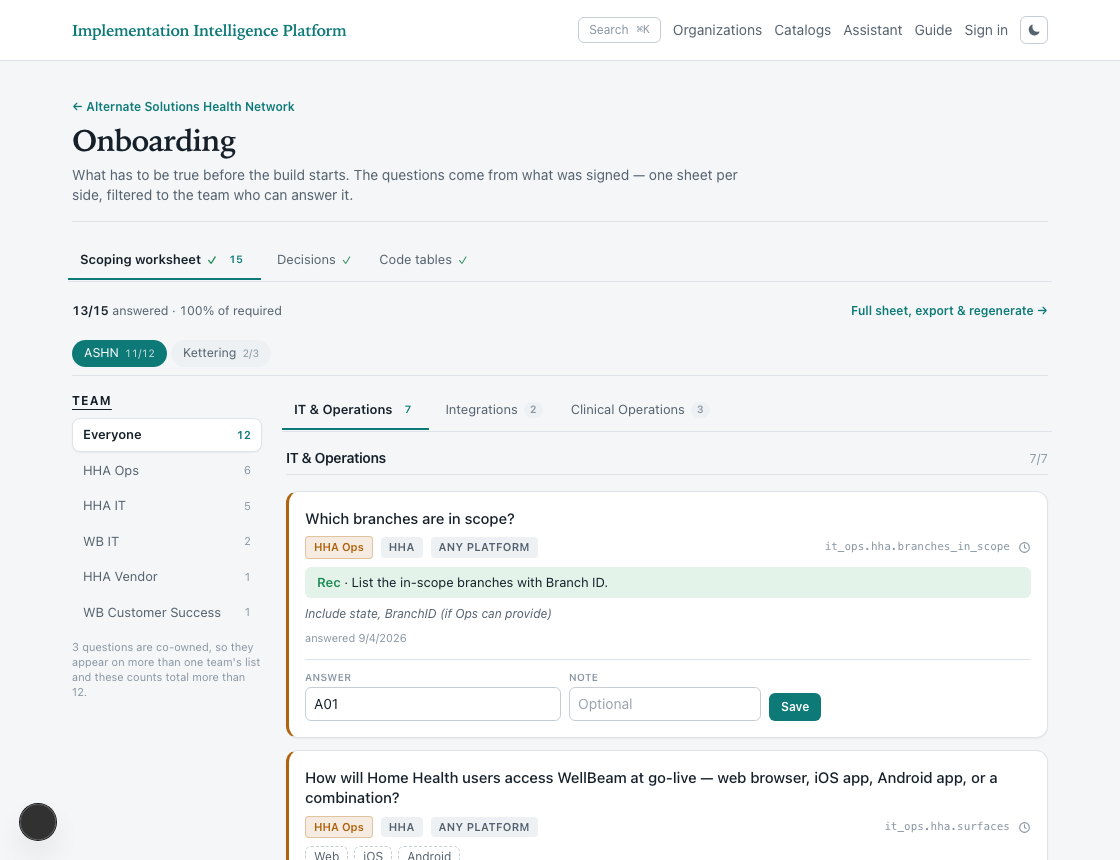
1. Open the scoping worksheet
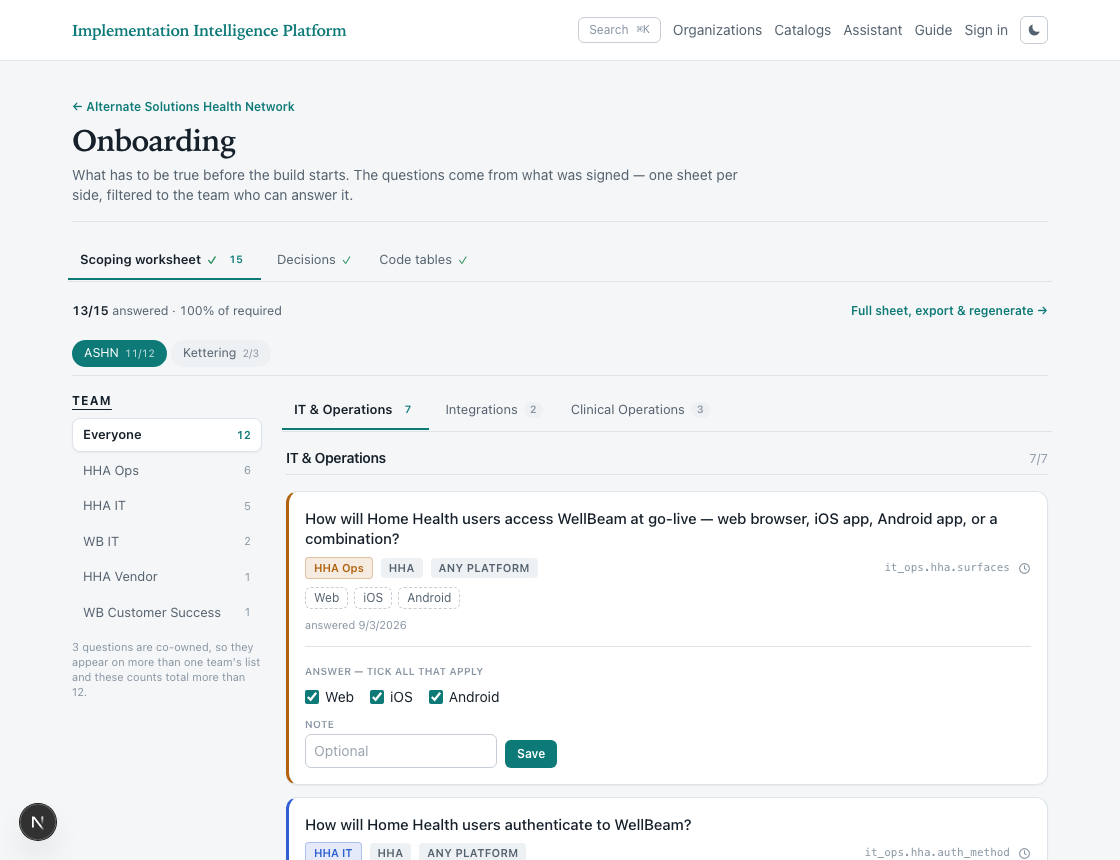
Onboarding opens on the customer’s own side. Each side has its own sheet, the counts show how much of it is answered, and the sheet holds only the questions that apply to what was sold. The team list on the left narrows it to what the person in front of you can actually decide.
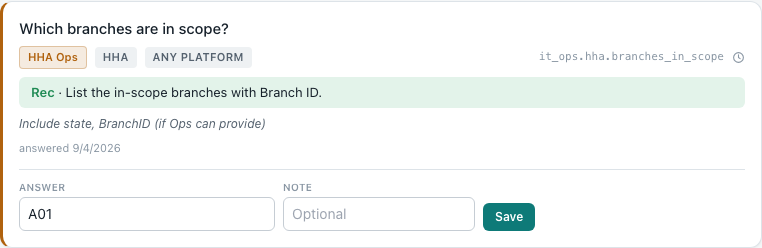
2. Read the question before answering it
A question carries its owner, the side it belongs to, WellBeam’s recommendation where there is one, and the key the answer is stored under. The recommendation is advice, not a default — it is not applied unless somebody chooses it.
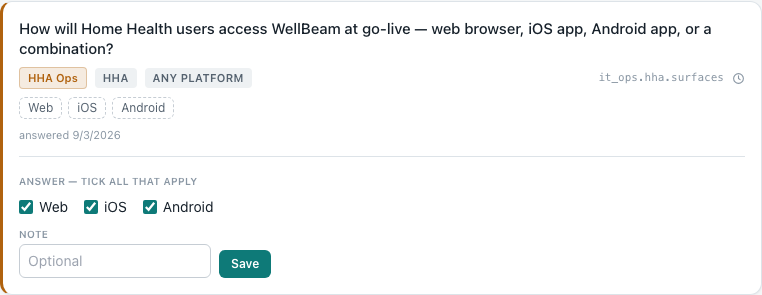
3. Record the answer
Type the answer and select Save. The note beside it is for anything that explains the answer — who said it, what it depends on, what is still unconfirmed.
Generate the implementation plan
See how a side’s plan is produced from its signed scope, and how the two tracks run on separate timelines.
See how a side’s plan is produced from its signed scope, and how the two tracks run on separate timelines.
Before you begin
- The side has scope — a plan is generated from what was sold, not from a template.
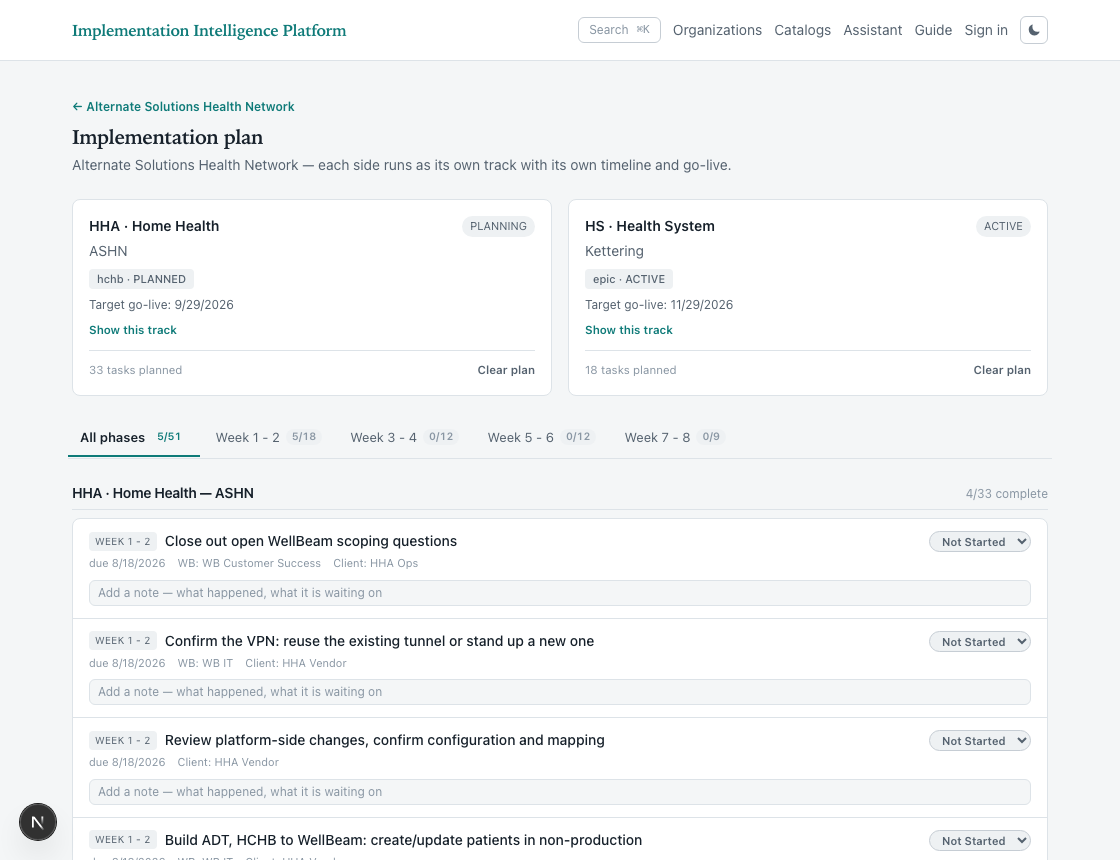
1. Open the implementation plan
Each side runs as its own track with its own timeline. A task belongs to one side; there is no shared plan, because the two sides go live independently.
Answer the configuration settings
Record what the platform should be set to for a customer, and know which settings are yours to chase and which are already answered.
Record what the platform should be set to for a customer, and know which settings are yours to chase and which are already answered.
Before you begin
- Scoping is answered — the scoping answers decide which settings apply at all.
- You know which environment you are configuring. A value set in TEST is not set in PROD.
1. Open configuration
Configuration is what the platform is actually built with, held per institution and per environment. It comes after scoping, because what was answered there decides which settings are even asked.
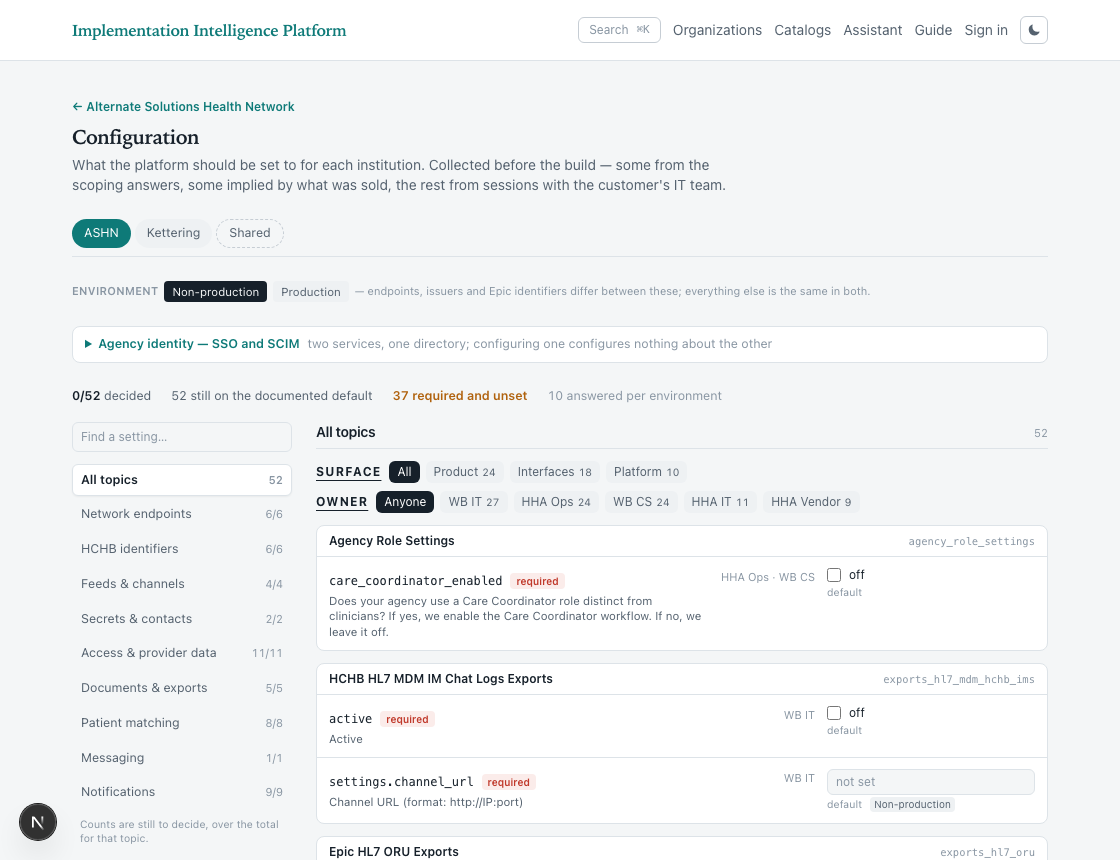
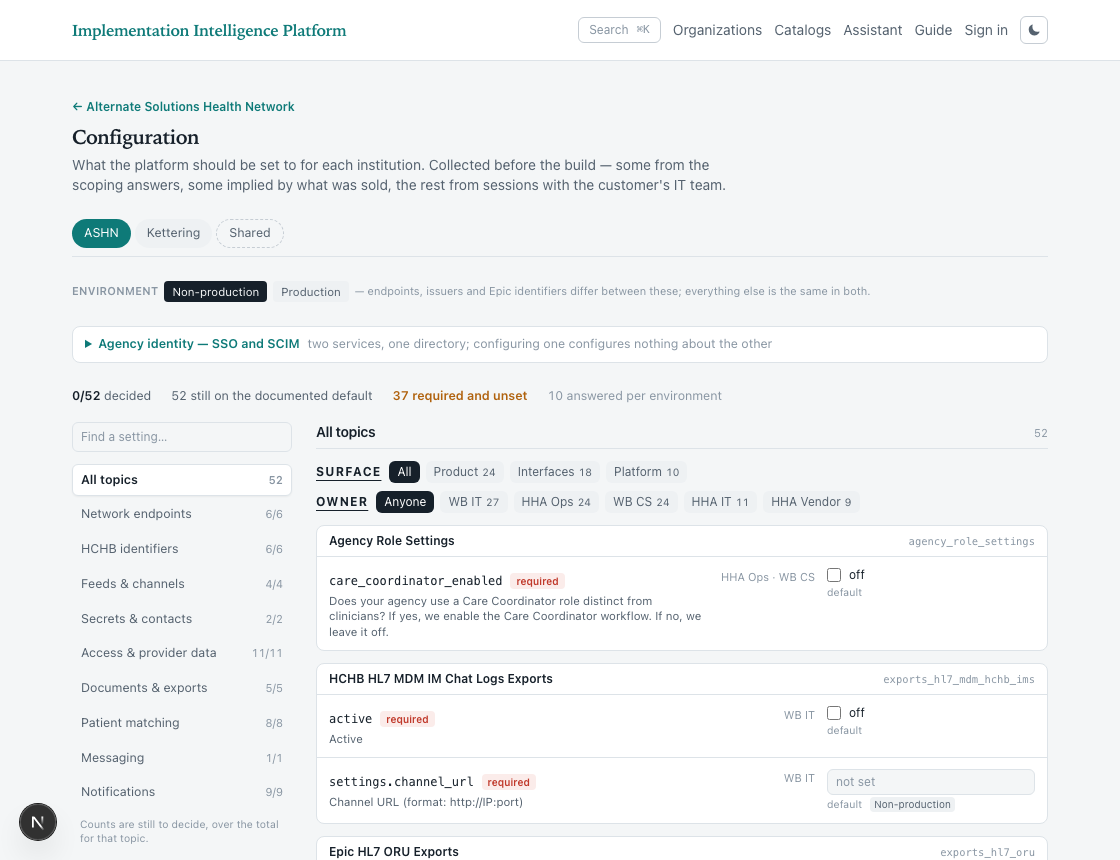
2. Choose the side and the environment
Configuration is held per side and per environment. The same setting can hold a different value in non-production and production, so both are chosen before anything is entered — a value recorded against the wrong one is silently wrong in the other.
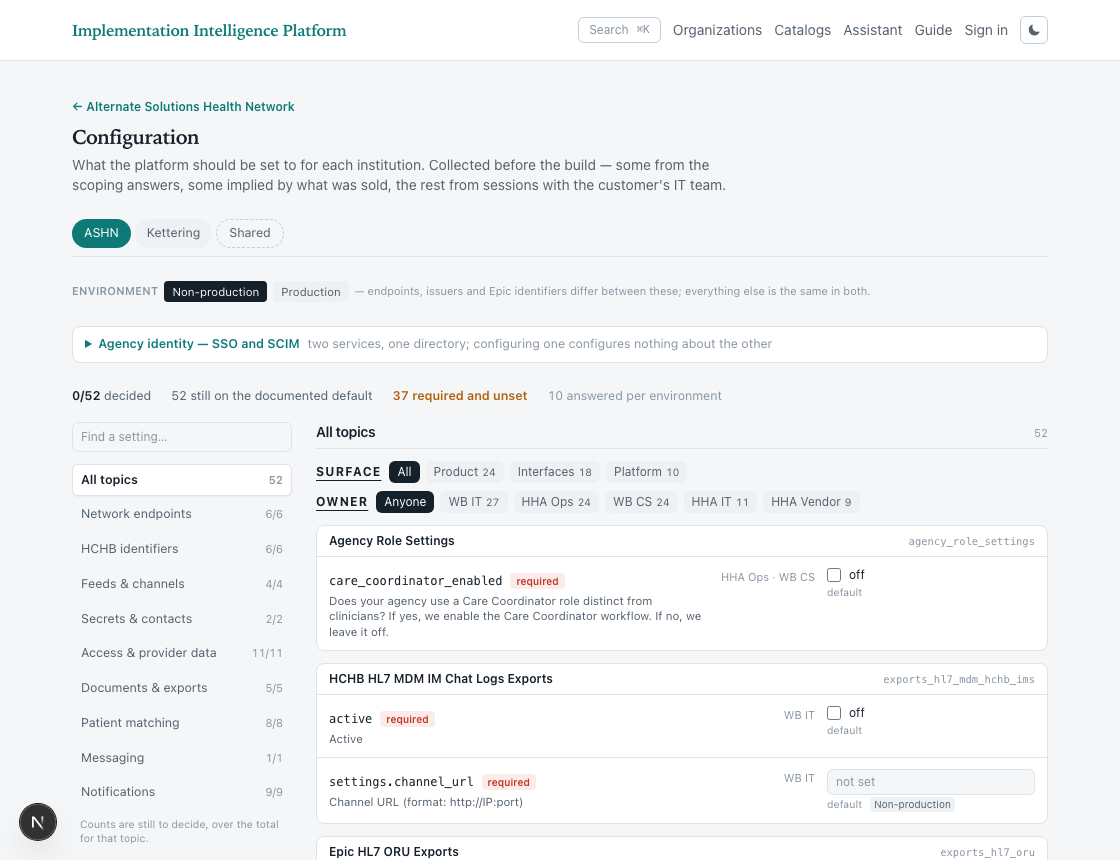
3. Work one topic at a time
Rather than three hundred rows, configuration opens on topics. Each groups settings by what the value IS — the network endpoints, the Epic identifiers, the HCHB identifiers — which is roughly one session, and one person’s worth of questions.
See what is blocking the build
Find out what still has to be true before a customer can be built in a target environment, and in what order the build has to happen.
Find out what still has to be true before a customer can be built in a target environment, and in what order the build has to happen.
Before you begin
- The customer is contracted, with signed scope and at least one side.
- Nothing here builds anything — it reports what would stop you.
1. Open implementation
This stage builds the customer in a target environment — the institution and its clinics, the users, the configuration and the interface channels. Everything it uses was decided in the earlier stages; nothing new is asked for here.
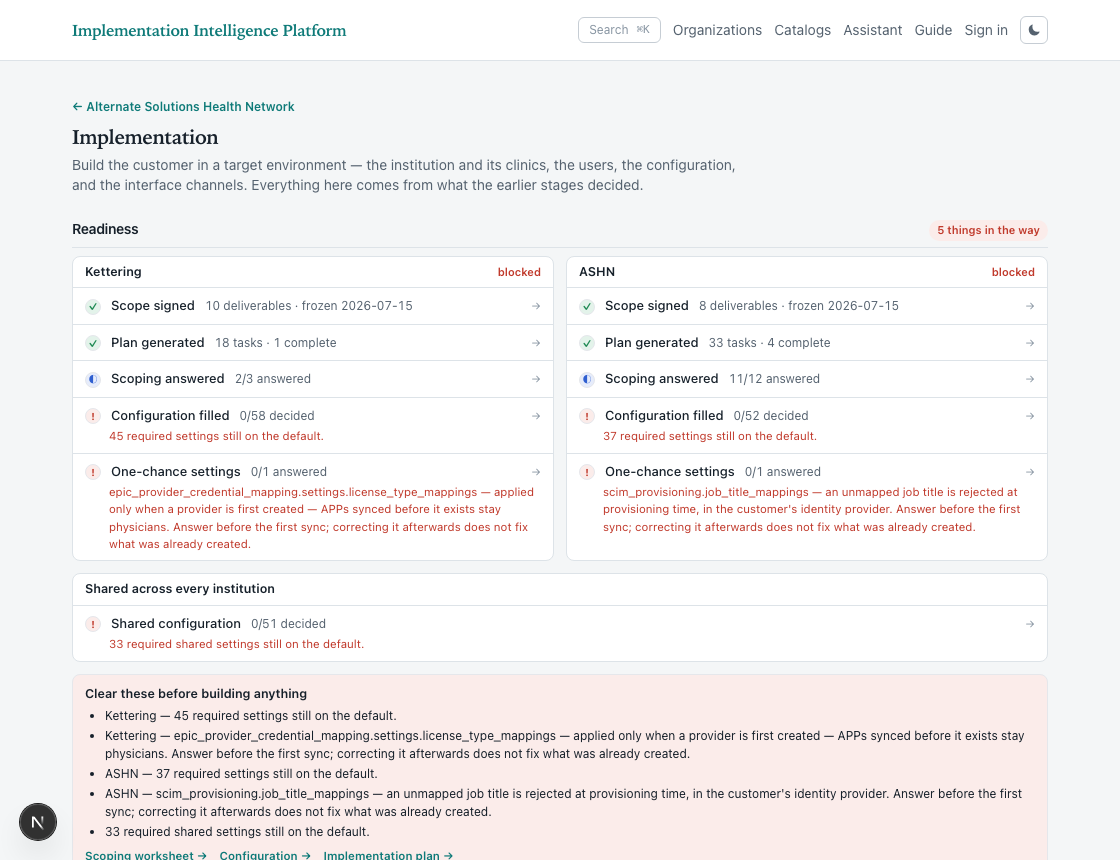
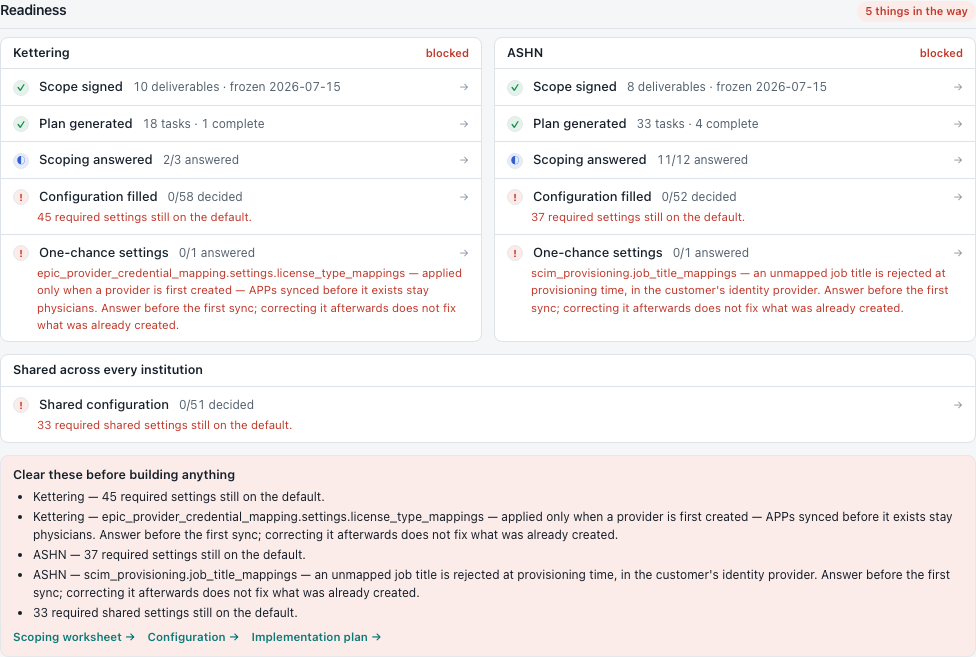
2. Read what is in the way
Readiness is checked per side, because the sides go live separately. Each gate is either satisfied, partly satisfied, or blocking — and a blocking gate says exactly which record or which answer is missing rather than reporting a percentage.
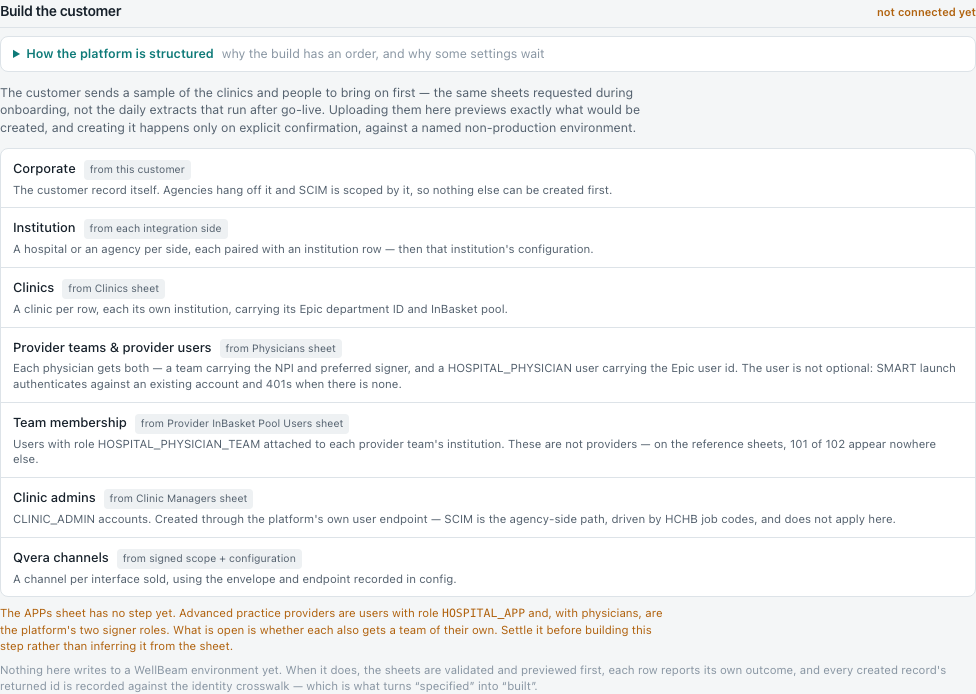
3. Follow the order the platform forces
The build order is not a preference. Each level's record must exist before the next can reference it, and before that level's configuration can be written — configuration hangs off an institution ID. So configuration is not a step at the end; it is a consequence of each level being created.
Starting a new customer
Nothing exists yet. Create the customer, decide which party the relationship is with, model the sides, and produce the scope exhibit for the SOW. Once that is signed and the customer is marked contracted, continue in the track above.
Add a customer
Create the record everything hangs off, and decide which party the relationship is with — the choice that shapes every page afterwards.
Create the record everything hangs off, and decide which party the relationship is with — the choice that shapes every page afterwards.
Before you begin
- You know which party WellBeam is contracting with. That party is the customer — not both sides of the integration.
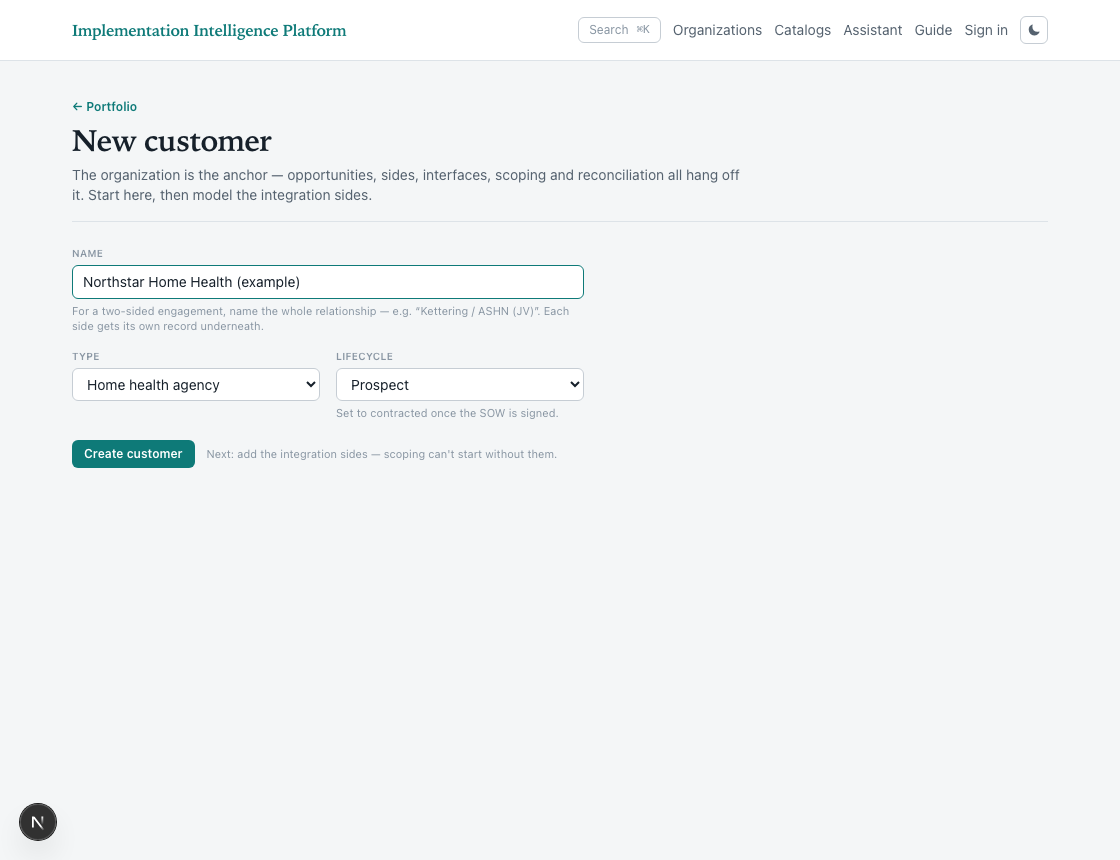
1. Start a new customer
From the portfolio, select New customer. Prospecting begins before there is a contract: the customer exists, and its scope is a sandbox until it is marked contracted.
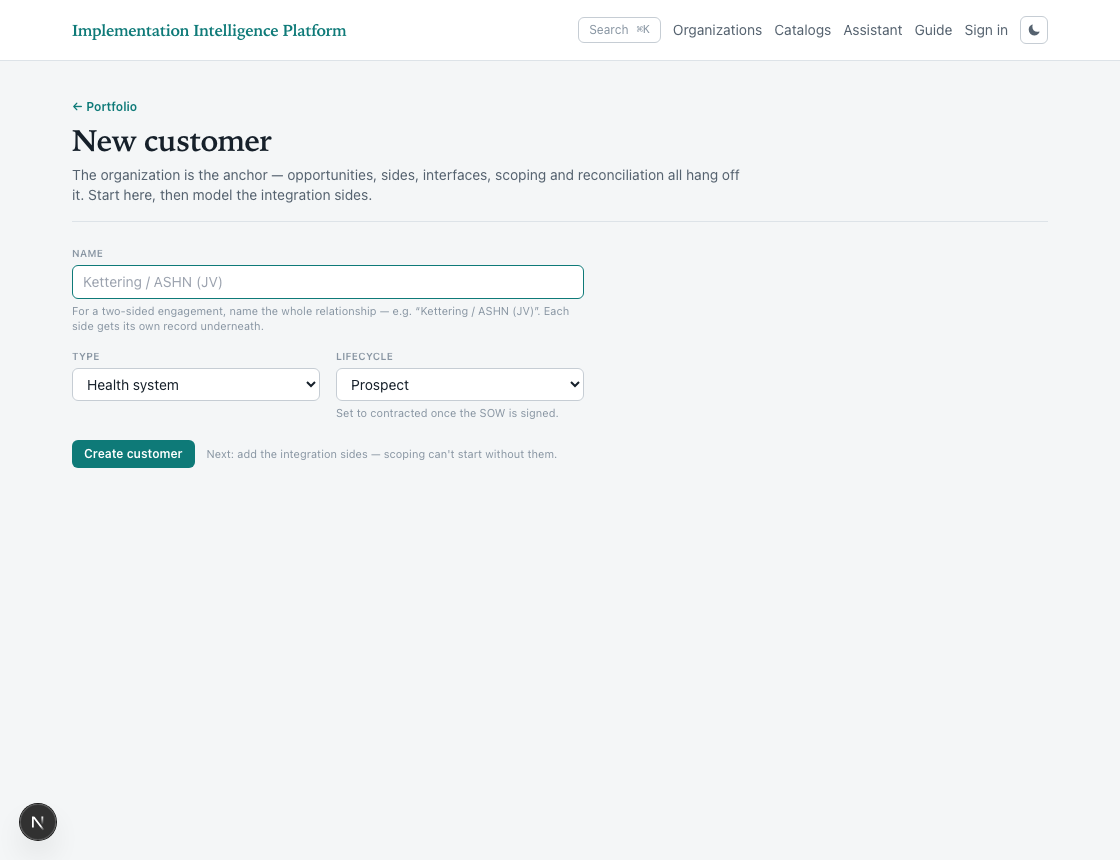
2. Name it after the party you contracted with
The organization is the anchor. Opportunities, sides, scoping and configuration all hang off it, so whichever party it represents is the one the relationship is with. Spell the name out rather than abbreviating — the abbreviation is usually what one of its sides is called, and naming the customer after two parties hides which one you actually contracted with.
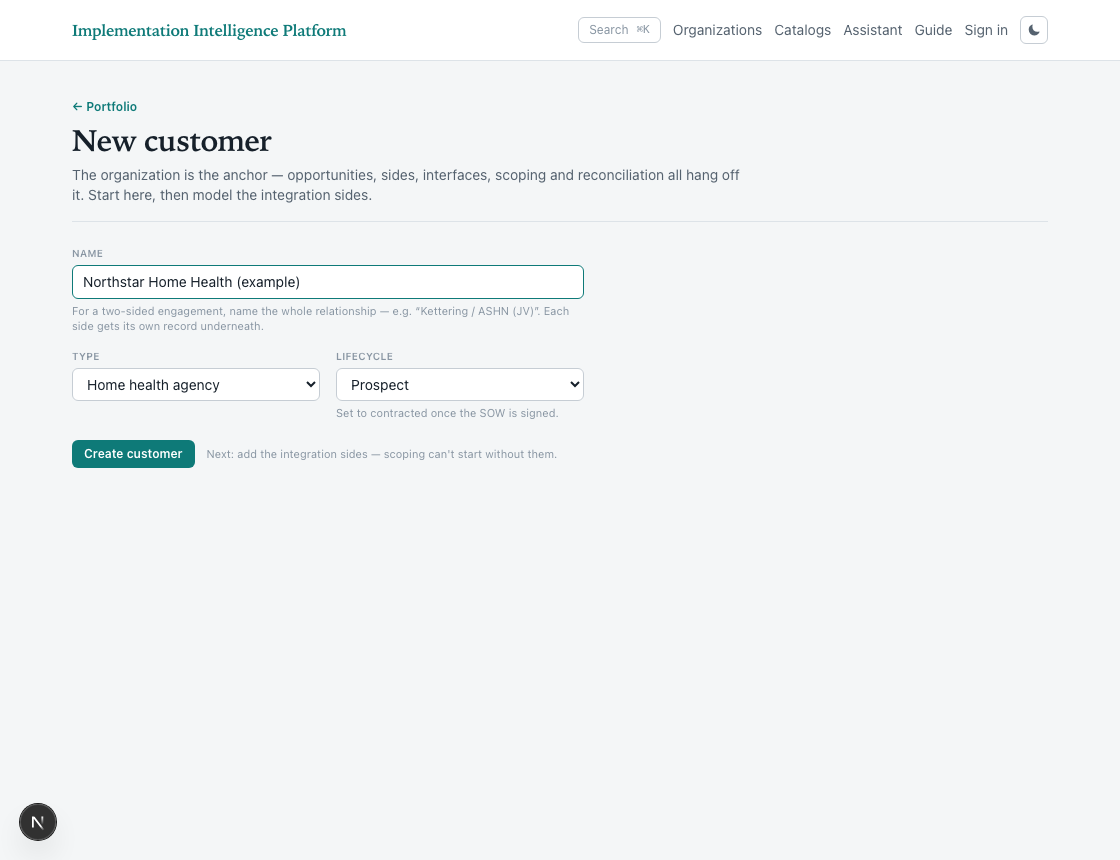
3. Leave it as a prospect until the SOW is signed
Lifecycle starts at prospect. Everything is editable and nothing is committed — the scope you build is a sandbox for pricing the deal. Marking it contracted is what begins onboarding.
Add an interface side
Add a second health system or agency to a customer, and understand what that creates downstream.
Add a second health system or agency to a customer, and understand what that creates downstream.
Before you begin
- The customer already exists. A side is added to a customer, never instead of one.
- You know which platform the new side runs — a side is a customer AND an EMR.
1. Look at what is already there
Read the existing sides first. The customer's own side leads, and every other side is a party they exchange documents with — each on its own timeline.
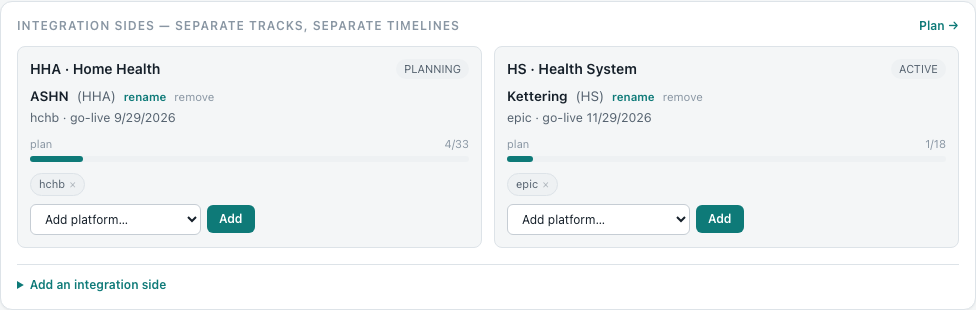
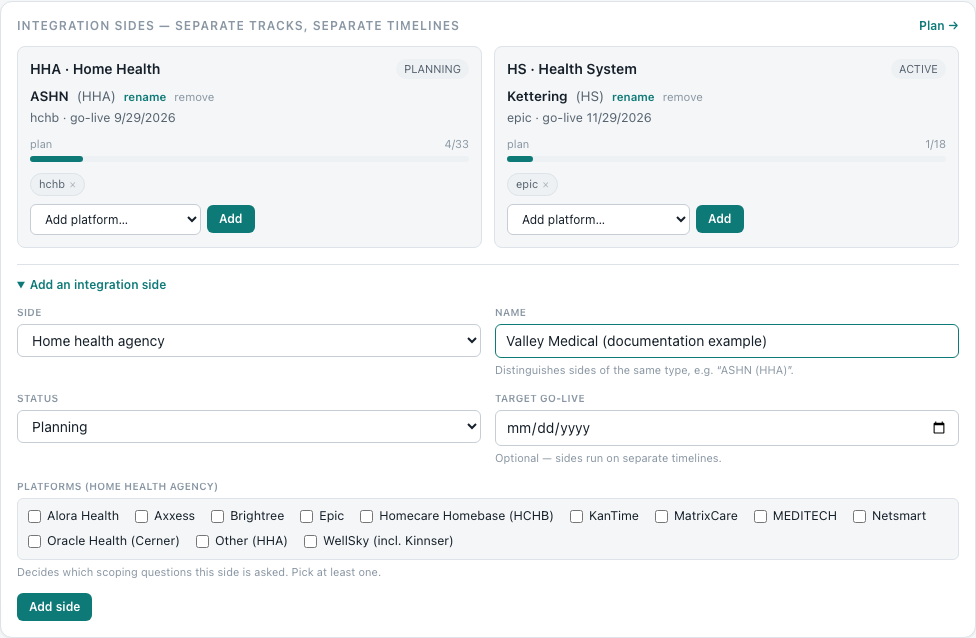
2. Open Add an integration side
Side is the type — health system or home health. Name distinguishes sides of the same type, which is what makes a customer with three health systems readable. Status and go-live are the new side's own; they do not follow the customer.
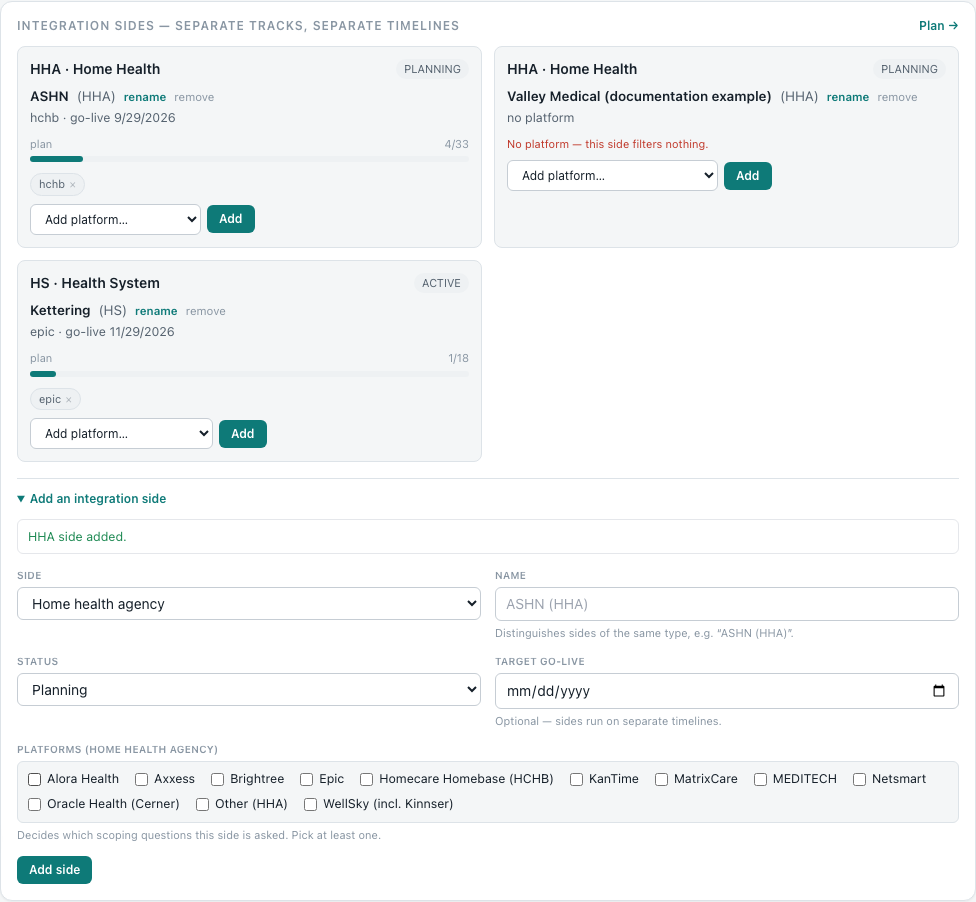
3. Save, and read what changed
The new side appears with its own plan progress and its own platform picker. It has no scoping answers and no configuration yet — those are generated for it, per side, and are what the rest of onboarding fills in.
Generate the scope exhibit for a SOW
Produce the technical scope wording for the statement of work, generated from the deliverables on the customer — the last step before a prospect is contracted.
Produce the technical scope wording for the statement of work, generated from the deliverables on the customer — the last step before a prospect is contracted.
Before you begin
- The customer has sides, and deliverables have been selected against them. The exhibit is generated from those.
- Still a prospect. The exhibit is what the scope becomes once it is agreed — after which the customer is marked contracted and onboarding begins.
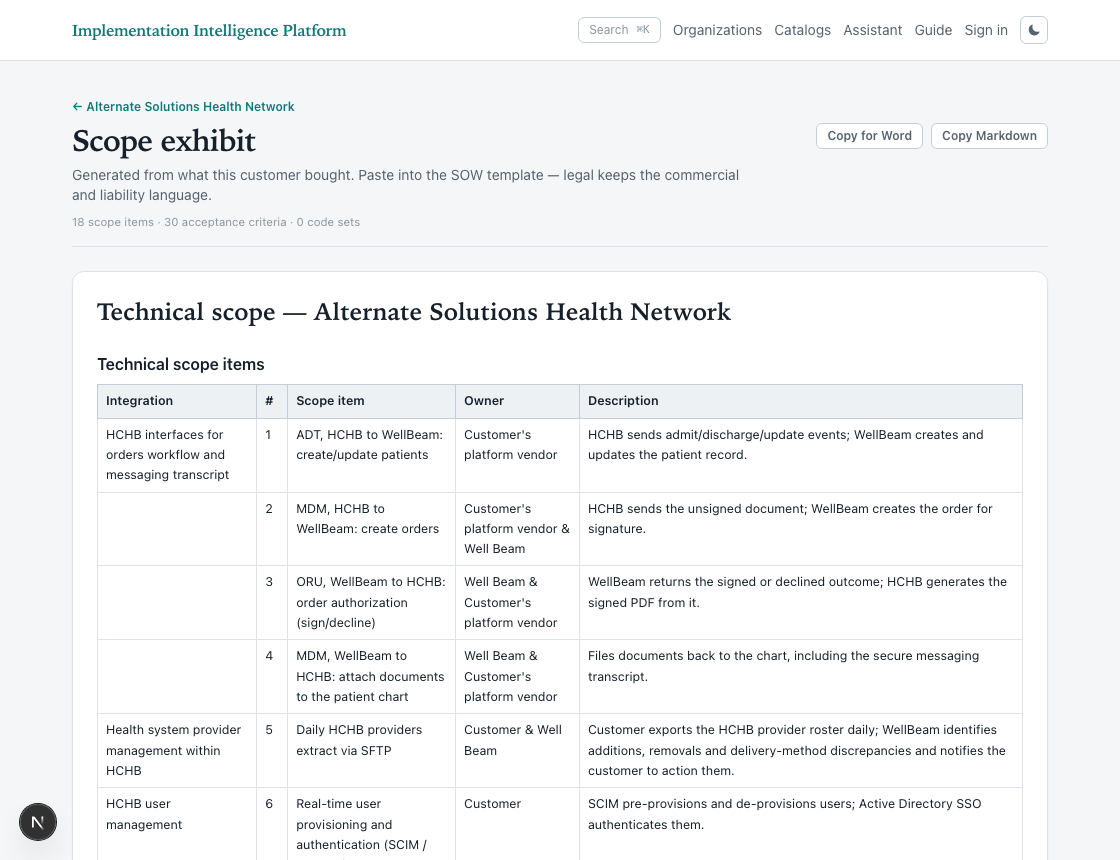
1. Open the scope exhibit
The exhibit is the technical half of a statement of work, written from the deliverables on the customer. Paste it into the SOW template — legal keeps the commercial terms, this supplies the scope.